
GitHub
WeatherXM WG1200 Gateway · ESP32-S3 · 16 MB Flash · RSA-3072 Secure Boot V2

Dual-Boot Firmware Switcher & Device Provisioner

Install signed Muse Gadget OS into ota_1 (0x820000) while keeping your official WeatherXM Firmware intact in ota_0 (0x420000) and factory (0x020000). Once both slots are populated, switching between Muse and WeatherXM takes just ~2 seconds.

Slot A · ota_0 (0x420000)
WeatherXM Official

Preserves station identity, LoRa keys, and WeatherXM NVS (`0x00F000`).

Slot B · ota_1 (0x820000)
Muse Gadget OS

Isolated `muse_nvs` (`0xF21000`) for SDK token, Home Link BLE & Wi-Fi.

Post-Flash Setup
USB Token + BLE Pairing

Auto-injects `mgst_...` token & pairs `provision_v2` over Web Bluetooth.

Status: Disconnected

The port picker lists the WG1200's fast native port, USB JTAG/serial debug unit (303a:1001, ~20 s to flash). Its CH340 USB Serial port (1a86:7523) also works, but takes several minutes.

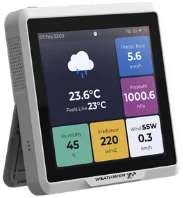
WeatherXM WG1200 Gateway
USB-C Port Connection

Plug your WG1200 into your computer via USB-C. No boot button press is required.

Slot B · ota_1 (0x820000) · RSA-3072 Signed

Muse Gadget OS (WG1200 Dual-Boot)

Hatch Link + Companion BLE + Weather Station Touch UI

v999.0.0

Installs signed Muse Gadget firmware to ota_1 (0x820000) and ensures the muse_nvs (0xF21000) partition is present. Your WeatherXM firmware in ota_0 and factory stays untouched.

  • 1-tap "Switch to WeatherXM" button directly on the WG1200 touchscreen
  • P-256 ECDH + AES-256-GCM Home Link & Companion BLE provisioning
  • Auto-injects your mgst_... SDK token over USB right after boot
Auto-injected on boot

If provided, the flasher automatically sends >sdk_token=... over USB Serial as soon as Muse boots.

SHA-256: 2cafa8f6bd0a…
Target: ota_1 (0x820000)
Slot A · ota_0 (0x420000) · Official Signed

WeatherXM Official Gateway Firmware

M5 WG1200 Production Station Gateway

v0.8.39

Boots or restores the official factory-signed WeatherXM WG1200 firmware in ota_0 (0x420000). If WeatherXM is already in ota_0, switching back from Muse takes ~2 seconds without re-flashing.

  • Preserves station claiming keys, EUI-64, LoRa settings & Wi-Fi
  • Keeps Muse Gadget OS installed in ota_1 for instant switching
  • Includes latest v0.8.39 plus v0.8.34 and v0.6.2 rollback images

Tip: If Muse is currently running, you can also switch to WeatherXM in 1 second via the touchscreen or USB Serial command >boot.weatherxm.

SHA-256: a60fe48b11a7…
Target: ota_0 (0x420000)
Live Technical Telemetry & Serial / BLE Log 0 lines
 

WG1200 Hardware Safety Guard & Dual-Boot Architecture

Enforced in-browser write barriers protect your WeatherXM station identity, Secure Boot V2 bootloader, and NVS calibration data.

Write Guard Active
RSA-3072 Secure Boot V2

Every image's SHA-256 and RSA-PSS signature are checked against the WG1200 signing key before a byte is written, and the whole slot is MD5-verified on the chip afterwards.

WeatherXM NVS Protected

Writes to 0x0000–0xBFF0, nvs (0xF000), factory (0x20000), nvs_key (0xC20000), and spiffs are strictly blocked.

Isolated `muse_nvs` (`0xF21000`)

Muse stores its SDK token, BLE pairing keys, and Wi-Fi credentials in its own 64 KB partition at 0xF21000.

Instant Slot Switch

With WeatherXM in ota_0 and Muse in ota_1, switching firmwares only updates otadata (0x13000), after a quick on-chip check that the slot holds the exact build.

Confirm Slot Operation

Install / Switch Firmware

Please review the target slot and safety guarantees before proceeding.

Target Firmware: —
Target Slot: —
Operation Mode: —
Protected Regions: factory, nvs, nvs_key, spiffs untouched
WG1200 Engineering & Recovery

Advanced Flash & Recovery Tools

Export Diagnostic Metadata Backup (.zip)

Reads and archives partition-table-0xC000.bin, otadata-0x13000.bin, and the 512-byte app headers of factory, ota_0, and ota_1.

Boot Immutable Factory WeatherXM Slot (`0x020000`)

Resets otadata (0x013000) to 0xFF so the ESP32-S3 ROM bootloader falls back to the immutable factory WeatherXM image at 0x020000. Both ota_0 and ota_1 remain intact.